How to Convert Camcorder Tapes to Digital
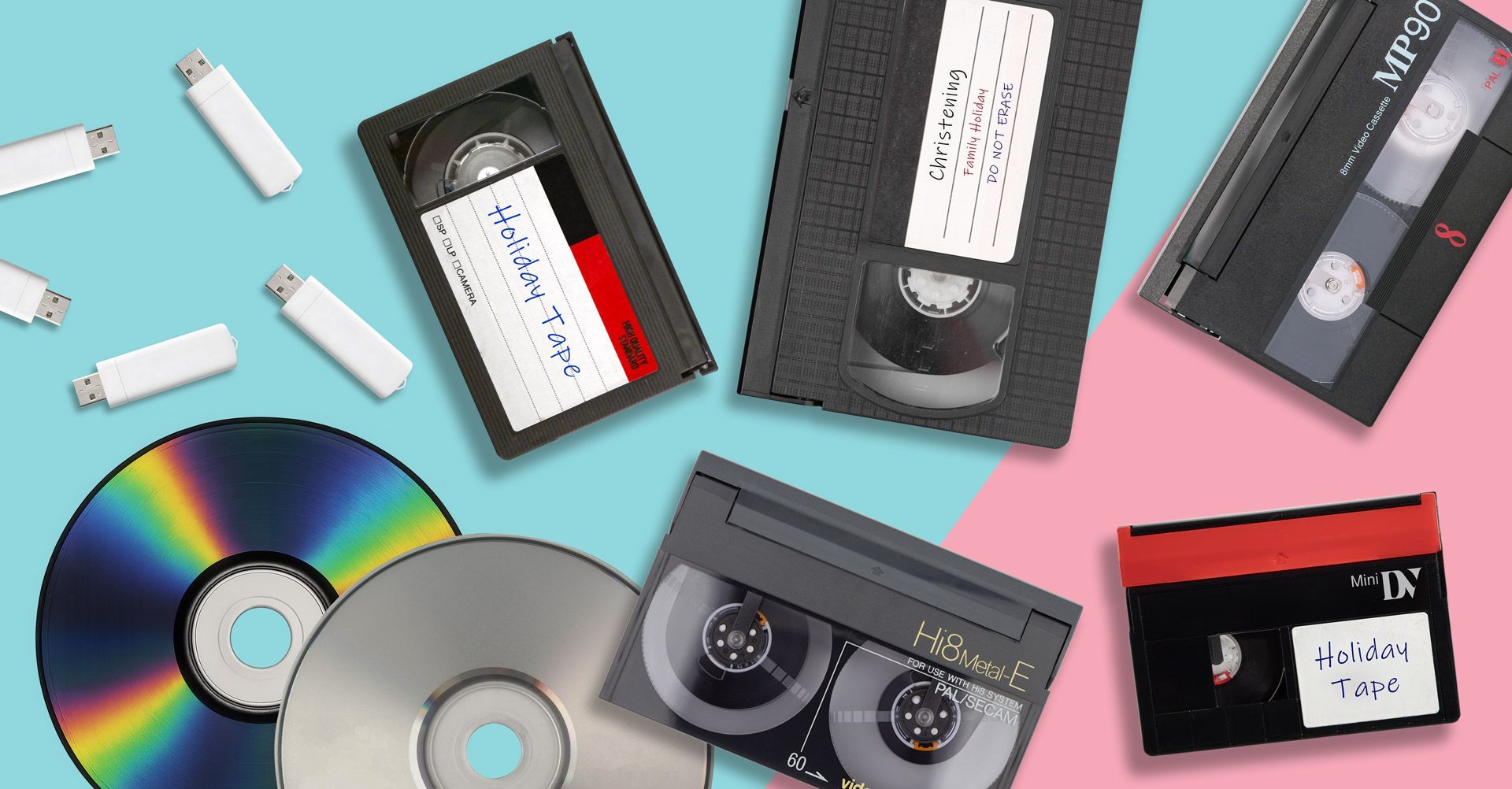
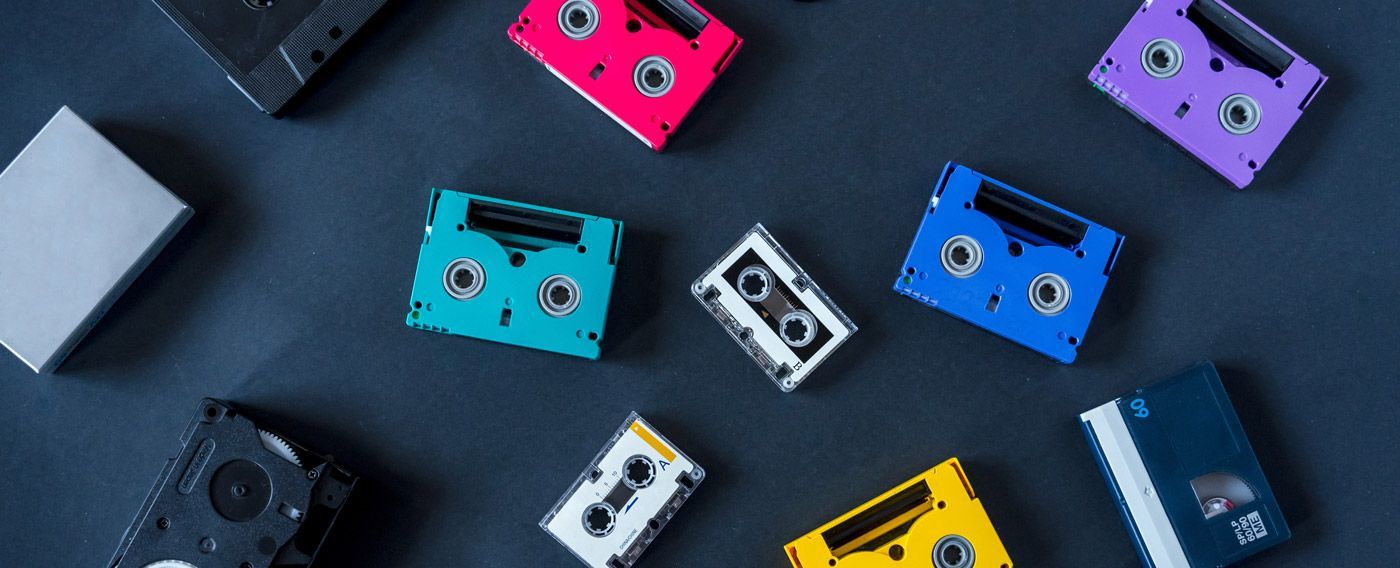
During the 1980s, 90s and early 2000s, camcorders were the most popular way to record family memories. Holidays, birthdays, weddings and school events were often captured on small video cassettes such as Video8, Hi8, Digital8, MiniDV and VHS-C.
Years later, many people rediscover these tapes stored in cupboards, drawers or lofts, but no longer have the camcorder needed to play them.
Even if you do still have a working camcorder, the tapes themselves will slowly deteriorate over time. This is why many families are now choosing to convert camcorder tapes to digital formats, allowing their old recordings to be watched on modern devices.
In this guide we explain how camcorder tape conversion works and the best ways to digitise your recordings safely.
Why Convert Camcorder Tapes to Digital?
Camcorder tapes store video using magnetic tape technology. While this was reliable when the tapes were new, it was never designed to last forever.
Over time, the magnetic tape can degrade and cause problems such as:
- Loss of video quality.
- Audio distortion.
- Tape stretching.
- Mould damage.
As tapes age, the risk of permanent data loss increases.
Digitising your recordings protects them before deterioration occurs and makes them much easier to watch and share.
Many families choose professional camcorder video tape transfer services to convert their recordings safely to modern digital formats.
Common Types of Camcorder Tapes
Before converting your tapes, it helps to identify the format you have. Several different types of camcorder tapes were used over the years.
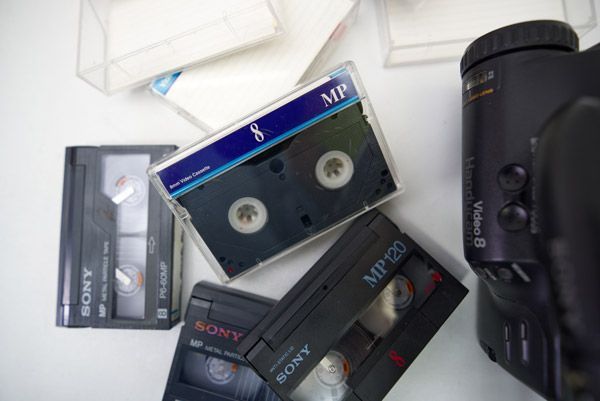
Video8
Video8 tapes were introduced in the mid-1980s and became a very popular camcorder format. They are small cassettes designed specifically for portable cameras.
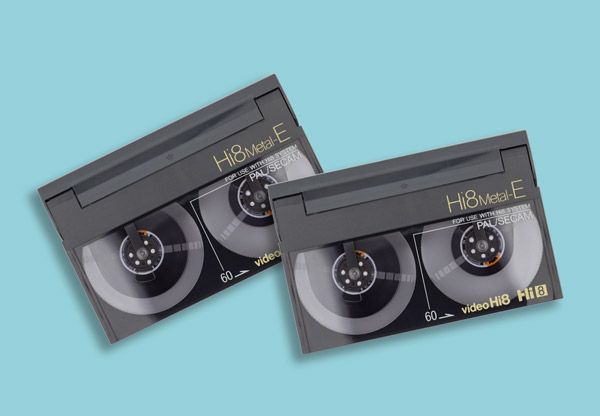
Hi8
Hi8 tapes are similar in size to Video8 but offer improved video quality. Many Hi8 camcorders can also play Video8 tapes.
Digital8
Digital8 tapes equipment uses the same videocassettes as analog recording Hi8 equipment, but the signal is encoded digitally.
MiniDV
MiniDV tapes became widely used in the late 1990s and early 2000s. Unlike earlier formats, MiniDV records digital video rather than analogue. If you have MiniDV tapes, or unsure if you do or do not, then we have a handy guide on MiniDV tapes explained, and how to watch them today.
VHS-C
VHS-C tapes are compact versions of standard VHS tapes used in camcorders. They can sometimes be played in VHS players using an adapter.
If you are unsure which tape format you have, our guide on what is VHS-C and how do you play it explains one of the most common camcorder tape types.
Camcorder Tapes to Digital Options

Method 1: Convert Camcorder Tapes Using a Computer
One way to digitise camcorder tapes is by connecting a camcorder to a computer using a video capture device.
This method usually requires:
- A working camcorder.
- Video capture hardware.
- Recording software.
- A computer with enough storage space.
The camcorder plays the tape while the capture device records the video onto the computer.
Advantages
- Allows you to create digital files at home.
- Videos can be saved directly to your computer.
Disadvantages
- Requires working camcorder equipment.
- Setup can be complicated.
- Transfers happen in real time.
For example, a two-hour tape will take two hours to convert.
Because many camcorders are now decades old, finding reliable equipment can be difficult.
Method 2: Convert Camcorder Tapes to DVD
Another option is transferring the camcorder tapes to DVD.
DVDs were once a popular way to preserve home videos and can still be played on many DVD players and computers.
However, DVDs also have limitations:
- They can become scratched or damaged.
- Storage capacity is limited.
- They are less convenient than digital files.
For this reason, many people now prefer digital file formats such as MP4.
Method 3: Convert Camcorder Tapes to Digital Files
The most modern solution is converting camcorder tapes into digital video files.
Once digitised, the videos can be stored on:
- USB drives.
- External hard drives.
- Cloud storage.
- Computers.
Digital files can also be watched on modern devices including smart TVs, laptops and smartphones.
Many people choose camcorder tapes to USB conversion so they can easily watch their videos directly from a USB drive.
Another popular option is camcorder tapes to MP4 conversion, which creates digital files that are compatible with most devices.
Why Professional Tape Conversion Is Often the Best Option
Although DIY conversion methods are possible, they can be time-consuming and require older equipment that many people no longer own.
Professional tape conversion services use specialist playback equipment designed to safely transfer older tapes.
Benefits of professional conversion include:
- Reliable playback equipment.
- Higher quality transfers.
- Safe handling of fragile tapes.
- Convenient digital formats.
If you have important family recordings, converting them using a camcorder to digital transfer service ensures they are preserved safely.

What Happens During Camcorder Tape Digitisation?
When camcorder tapes are digitised, the video signal from the tape is captured and converted into a digital file.
The finished recordings can then be delivered in formats such as:
- USB drives.
- MP4 digital files.
- DVDs.
These formats allow your recordings to be watched anytime without needing outdated camcorder equipment.
Preserve Your Old Home Videos
Camcorder tapes often contain some of the most important family memories; childhood birthdays, holidays, weddings and special events.
Unfortunately, these recordings remain vulnerable while stored on ageing magnetic tape.
Digitising your tapes ensures those memories are preserved and can still be watched and shared with future generations.
If you have old camcorder tapes stored away, converting them to digital formats is the safest way to protect them before deterioration occurs.
If this article was of interest to you, be sure to check out our guide on how to convert VHS to digital.