Resolution Differences Between VHS, Video8, MiniDV and Cine Film

Resolution Comparison of Major Home Video Formats

Over the past 70 years, home video technology has evolved dramatically.


From early cine film reels to camcorder tapes like Video8 and MiniDV, each format recorded video using very different technology and image quality standards.


Today, many people are converting old media to digital formats so their recordings can be watched on modern devices.


However, a common question people ask is:


“What resolution were these old formats actually recorded in?”


The answer varies significantly depending on the format.


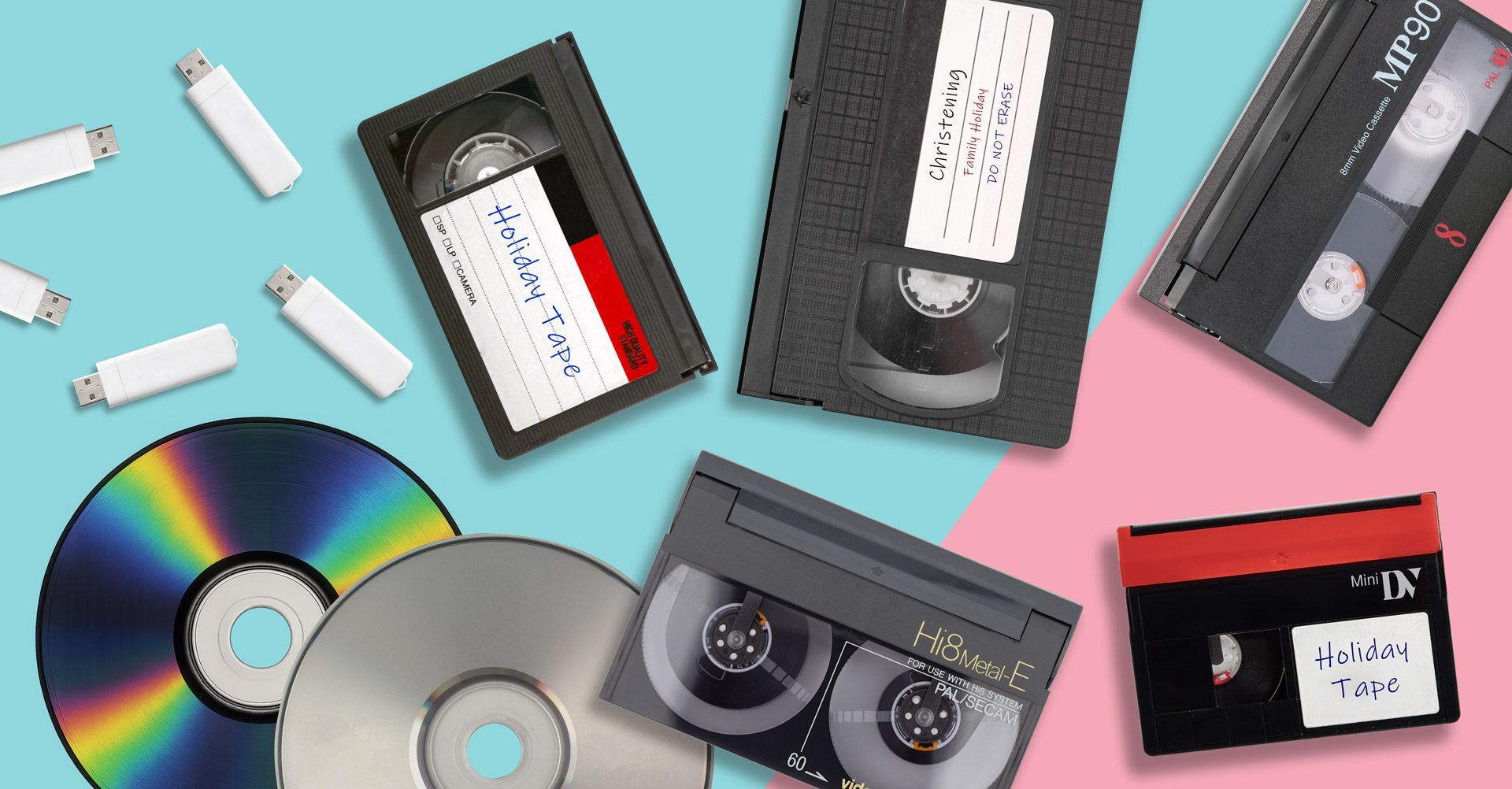
In this guide we explain the true resolution and quality differences between major home video formats including VHS, VHS-C, MiniDV, Video8, Hi8, Digital8 and cine film.


We also explain how much quality can realistically be recovered when converting them to digital.

Why Resolution Matters When Converting Old Media

Resolution refers to the amount of visual detail recorded in a video image.


Modern video formats such as HD and 4K capture extremely high levels of detail, but older analogue formats were designed during a time when televisions were far less capable.


For example:


  1. Standard definition TV broadcasts in the UK were typically 576i resolution.
  2. Many tape formats recorded significantly less detail than that.


When converting tapes today, the digital file cannot contain more detail than the original recording captured.


However, professional digitisation can ensure the maximum possible quality is preserved.

Understanding Analogue vs Digital Video Quality

Before comparing formats, it is useful to understand the difference between analogue and digital video.


Analogue formats


Formats such as:


  • VHS.
  • VHS-C.
  • Video8.
  • Hi8.


record video as analogue signals on magnetic tape.


Resolution is typically measured using horizontal lines of detail (TVL) rather than pixels.


Digital formats


Formats such as:


  • MiniDV
  • Digital8


record video digitally onto tape.


Because they store digital video data, their resolution is measured in pixels similar to modern video files.

Below is a simplified comparison of the most common home video formats.

Format Approx Resolution Recording Type
VHS ~240 horizontal lines Analogue
VHS-C ~240 horizontal lines Analogue
Video8 ~240–260 lines Analogue
Hi8 ~400 lines Analogue
Digital8 720 × 576 Digital
MiniDV 720 × 576 Digital
Cine Film (8mm / Super8) Equivalent up to HD+ depending on scan Film
Resolution Comparison of Major Home Video Formats

Each format has its own strengths and limitations. Let’s look at them individually.

VHS Resolution

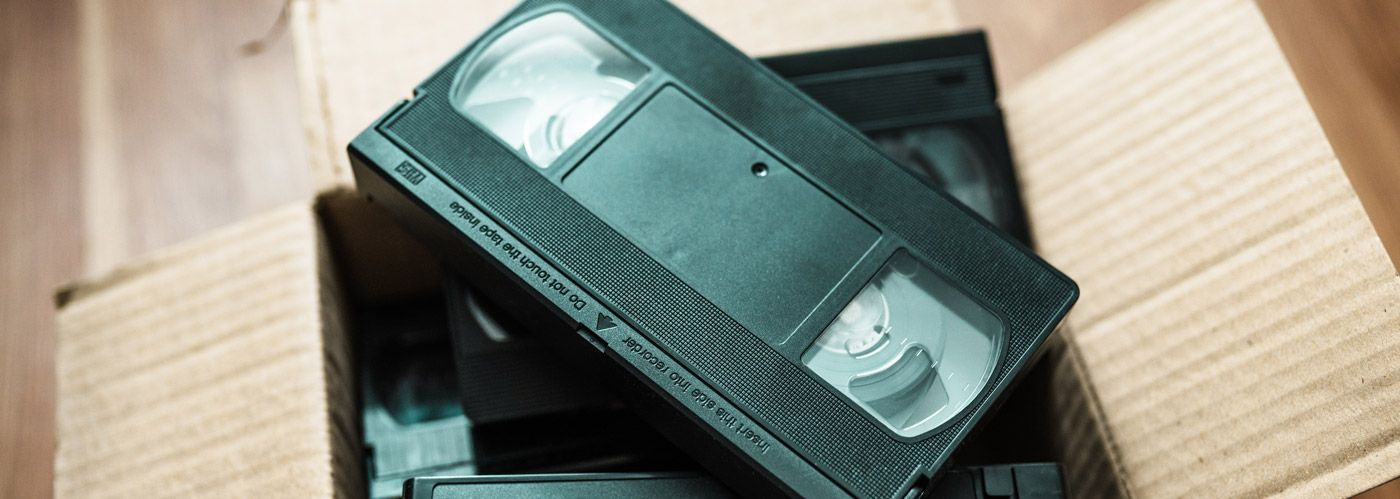
VHS became the dominant home video format during the 1980s and 1990s.


Although extremely popular, VHS was never designed for high image quality.


Typical VHS recordings capture around:


~240 lines of horizontal resolution


This means VHS footage often appears:


  • Soft or slightly blurry.
  • Lower in detail compared to later camcorder formats.


Despite this, VHS remains valuable because it often contains unique family recordings.


Our guide on How to Convert VHS to Digital explains how these tapes can still be preserved today.

VHS-C Resolution

VHS-C is essentially a compact camcorder version of VHS.


The tape is smaller, but the recording technology is identical.


Because of this:


  • VHS-C tapes record the same resolution as VHS.
  • Image quality is generally around 240 horizontal lines.


You can learn more about this format in our guide on How to Convert VHS-C Camcorder Tapes to Digital.

Video8 Resolution

Video8 was introduced by Sony as a more compact camcorder format.


Compared to VHS, Video8 often delivered slightly improved image quality.


Typical Video8 recordings capture around:


240–260 lines of horizontal resolution


While still analogue, Video8 footage can sometimes look cleaner than VHS recordings.


Our guide on How to Convert Video8 Camcorder Tapes to Digital explains how these tapes are digitised today.

Hi8 Resolution

Hi8 was an improved version of Video8 designed to provide higher image quality for camcorders.


Hi8 tapes typically record around:


400 horizontal lines of resolution


This represents a significant improvement over VHS and Video8.


Because of this, Hi8 footage often digitises very well and can look surprisingly sharp once converted.


Our guide on How to Convert Hi8 Camcorder Tapes to Digital explains how these tapes are digitised today.

MiniDV Resolution

MiniDV represented a major shift in consumer video technology because it recorded digital video rather than analogue signals.


MiniDV footage is typically recorded at:


720 × 576 resolution (standard definition DV)


This is essentially the full resolution of standard definition television.


Because the video is stored digitally, MiniDV transfers can often look extremely clean when digitised, provided the tapes are still in good condition.


Our guide on MiniDV Tapes Explained (And How to Watch Them Today) explains how these tapes are digitised today.

Digital8 Resolution

Digital8 was another digital camcorder format developed by Sony.


Although it used Video8-style tapes, the recordings themselves were digital DV video.


As a result, Digital8 records at the same resolution as MiniDV:


720 × 576 pixels


This means Digital8 footage often looks significantly sharper than older analogue camcorder formats.


You can see how this works on our guide, How To Convert Digital8 Tape to Digital.

Cine Film Resolution

Cine film formats such as:


  • Standard 8mm.
  • Super 8.


are fundamentally different from video tapes.


Because they are photographic film, their resolution is not limited by television standards.


Depending on the quality of the film and scanning process, cine film can potentially produce digital footage equivalent to:


HD resolution or higher


This is why professional frame-by-frame scanning is used when converting film reels.


You can learn more about this process on our How To Convert Cine Film to Digital article.

What Quality Can Actually Be Recovered?

One important thing to understand when converting old media is that digitisation preserves the original quality rather than increasing it.


For example:


  • VHS footage will always look like VHS.
  • MiniDV footage will remain standard definition DV.
  • Cine film can often produce higher resolution scans.


However, professional digitisation ensures:


  • Stable playback.
  • Accurate colour capture.
  • Proper digital encoding.
  • Long-term preservation.


This allows the footage to look as good as the original recordings allow.

Why Digitising Old Formats Is Important

Many of these formats are now 30 to 60 years old.


Over time, several problems can occur:


  • Magnetic tape deterioration.
  • Camcorder or VCR failures.
  • Projectors becoming rare.
  • Loss of playback equipment.


Digitising these formats ensures the recordings can be safely preserved before the original media becomes unreadable.

Preserving Video History in the Digital Age

Preserving Video History in the Digital Age

Home video formats have changed dramatically over the decades.


From grainy VHS tapes to digital MiniDV recordings and high-resolution cine film scans, each format represents a different stage in the evolution of home video technology.


Although the resolution of older formats may be limited, the memories they contain are often irreplaceable.


By converting these recordings to digital files today, families can ensure their videos remain watchable, shareable and safely preserved for future generations.

Converting Old Video Formats to Digital

If you still have VHS tapes, camcorder tapes or cine film reels stored away, converting them to digital is the best way to ensure the footage can be watched and preserved in the future.


Many of these formats are now decades old, and the equipment required to play them is becoming increasingly difficult to find. VCRs break down, camcorder parts are no longer manufactured and cine projectors are rarely used today.


Digitising these formats allows your recordings to be safely stored as modern video files that can be watched on computers, smart TVs, tablets and smartphones.


Below are some of the most common formats people convert to digital today.

Converting VHS Tapes to Digital

VHS tapes were the most widely used home video format throughout the 1980s and 1990s.


Although the resolution of VHS is relatively low compared to modern video, these tapes often contain important family recordings that exist nowhere else.


Professional transfers capture the video signal directly from the tape and convert it into modern digital files.


You can learn more about the process on our VHS to Digital conversion service page, or VHS-C to Digital conversion page.

Converting MiniDV Camcorder Tapes

MiniDV tapes became one of the most popular digital camcorder formats during the late 1990s and early 2000s.


Unlike earlier analogue camcorder formats, MiniDV recorded digital DV video at 720 × 576 resolution, delivering significantly sharper footage than VHS or Video8.


However, MiniDV tapes still require a working camcorder or playback deck to access the recordings, and these devices are becoming increasingly difficult to find.


Digitising MiniDV tapes allows the original digital video to be preserved as modern files that can be easily watched and shared.


You can find more information on our MiniDV to Digital conversion service page.

Converting Video8 and Hi8 Camcorder Tapes

Video8 and Hi8 camcorder tapes were extremely popular during the late 1980s and 1990s.


These tapes were used to record:


  • Family holidays.
  • Weddings.
  • School plays.
  • Everyday home video moments.


Because these formats rely on analogue magnetic tape, they gradually degrade over time.


If you still have these camcorder tapes stored away, you can convert them using our Video8 to Digital transfer service or Hi8 to Digital transfer service.

Converting Digital8 Tapes

Digital8 camcorders were introduced later and recorded digital DV video, providing significantly better quality than earlier analogue camcorder formats.


However, the tapes themselves are still magnetic media and require specialised camcorders to play them.


Digitising these recordings allows the original DV footage to be preserved as modern digital files.


You can find more information on our Digital8 to Digital conversion page.

Converting Cine Film Reels

Older family footage is sometimes stored on 8mm or Super 8 cine film reels, which predate video tapes entirely.


Because cine film is photographic film rather than magnetic tape, it must be converted using frame-by-frame scanning technology.


This process captures each individual film frame to create a digital video file.


If you have boxes of old film reels, you can learn more about the process on our Cine Film to Digital transfer service page.

Recent Posts

How to Transfer DVD to USB
By Graeme Buckley March 14, 2026
Learn how to transfer DVDs to USB. Discover how to copy video DVDs, photos, files and music discs to USB storage for easy playback on modern devices.
How to Transfer CDs to USB
By Graeme Buckley March 6, 2026
Learn how to transfer CDs to USB. Discover how to copy photos, files, videos and music from CDs to a USB drive for safe digital storage.
How to Convert Audio Cassette Tapes to Digital
By Graeme Buckley February 28, 2026
Learn how to convert audio cassette tapes to digital. Discover how cassette tapes can be transferred to MP3 or WAV and preserved for modern playback.

How to Convert Cine Film Reels to Digital
By Graeme Buckley February 11, 2026
Learn how to convert cine film reels to digital. Discover how 8mm and Super 8 film can be scanned frame-by-frame and transferred to MP4 or USB.
How to Convert Digital8 Camcorder Tapes to Digital
By Graeme Buckley February 2, 2026
Learn how to convert Digital8 camcorder tapes to digital. Discover how to transfer Digital8 tapes to USB, MP4 or DVD and preserve your home videos.
How to Convert Hi8 Camcorder Tapes to Digital
By Graeme Buckley January 30, 2026
Learn how to convert Hi8 camcorder tapes to digital. Discover the best ways to transfer Hi8 tapes to USB, MP4 or DVD and preserve old home videos.
How to Convert Video8 Camcorder Tapes to Digital
By Graeme Buckley January 21, 2026
Learn how to convert Video8 camcorder tapes to digital. Discover how to transfer Video8 tapes to USB, MP4 or DVD and preserve old home videos.
How to Convert VHS-C Camcorder Tapes to Digital
By Graeme Buckley January 8, 2026
Learn how to convert VHS-C camcorder tapes to digital. Discover the best ways to transfer VHS-C tapes to USB, MP4 or DVD and preserve old home videos.
Why You Should Digitise Old Tapes Now
By Graeme Buckley January 2, 2026
Discover why you should digitise old VHS and camcorder tapes now. Learn how tape deterioration can destroy home videos and how digital conversion preserves them.
Show More