How to Convert Video8 Camcorder Tapes to Digital
During the late 1980s and 1990s, Video8 camcorders were one of the most popular ways for families to record home videos.
From birthdays and weddings to holidays and school plays, millions of memories were captured on these small camcorder tapes.
Today, many people still have Video8 tapes stored in cupboards, lofts or old camcorder bags, but no longer have the equipment needed to watch them.
Even if the original camcorder still works, magnetic tape formats like Video8 gradually deteriorate with age.
For this reason, many people now choose to convert Video8 camcorder tapes to digital formats, allowing their recordings to be safely preserved and easily watched on modern devices.
In this guide we explain the different ways Video8 tapes can be converted into digital video.
What Are Video8 Camcorder Tapes?
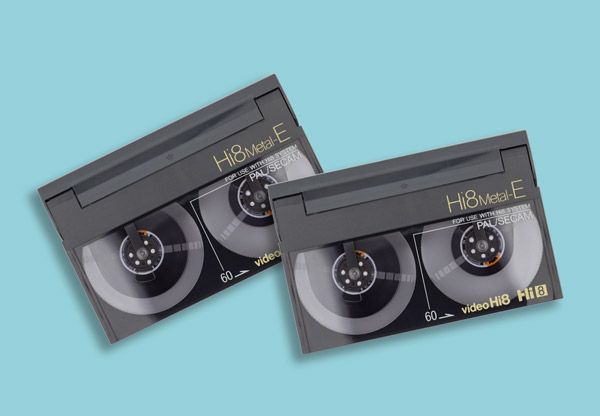
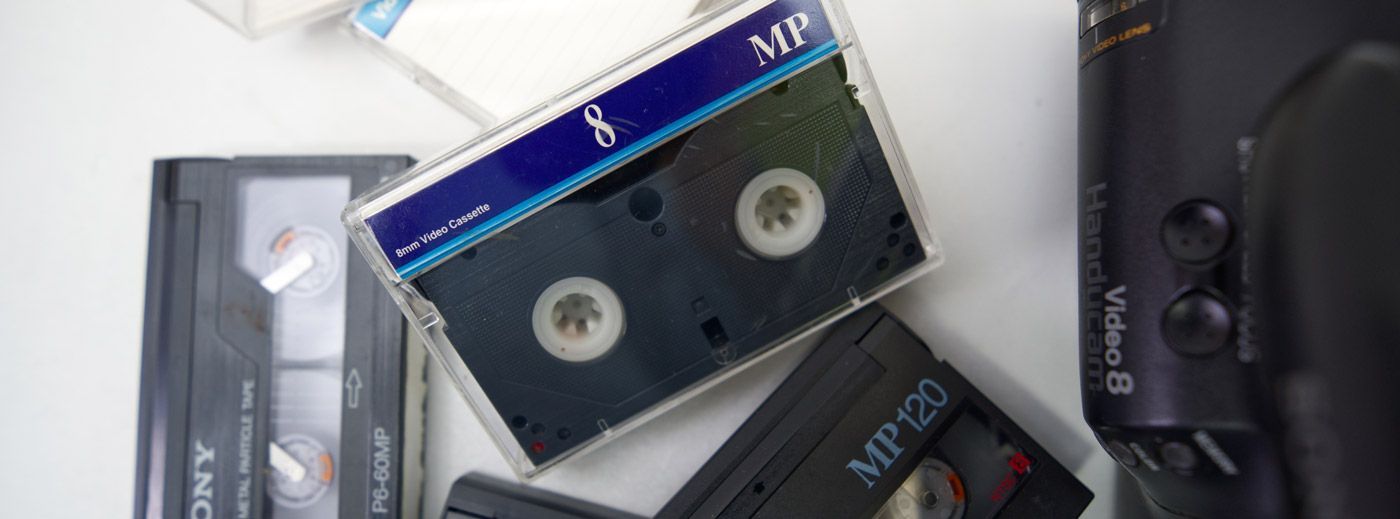
Video8 is an analogue camcorder tape format introduced by Sony in the mid-1980s.
It was designed as a compact alternative to larger VHS camcorder tapes and quickly became a standard format for home video recording.
Typical characteristics of Video8 tapes include:
- Small cassette size designed for handheld camcorders.
- Analogue video recording.
- Up to 120 minutes of recording time depending on tape type.
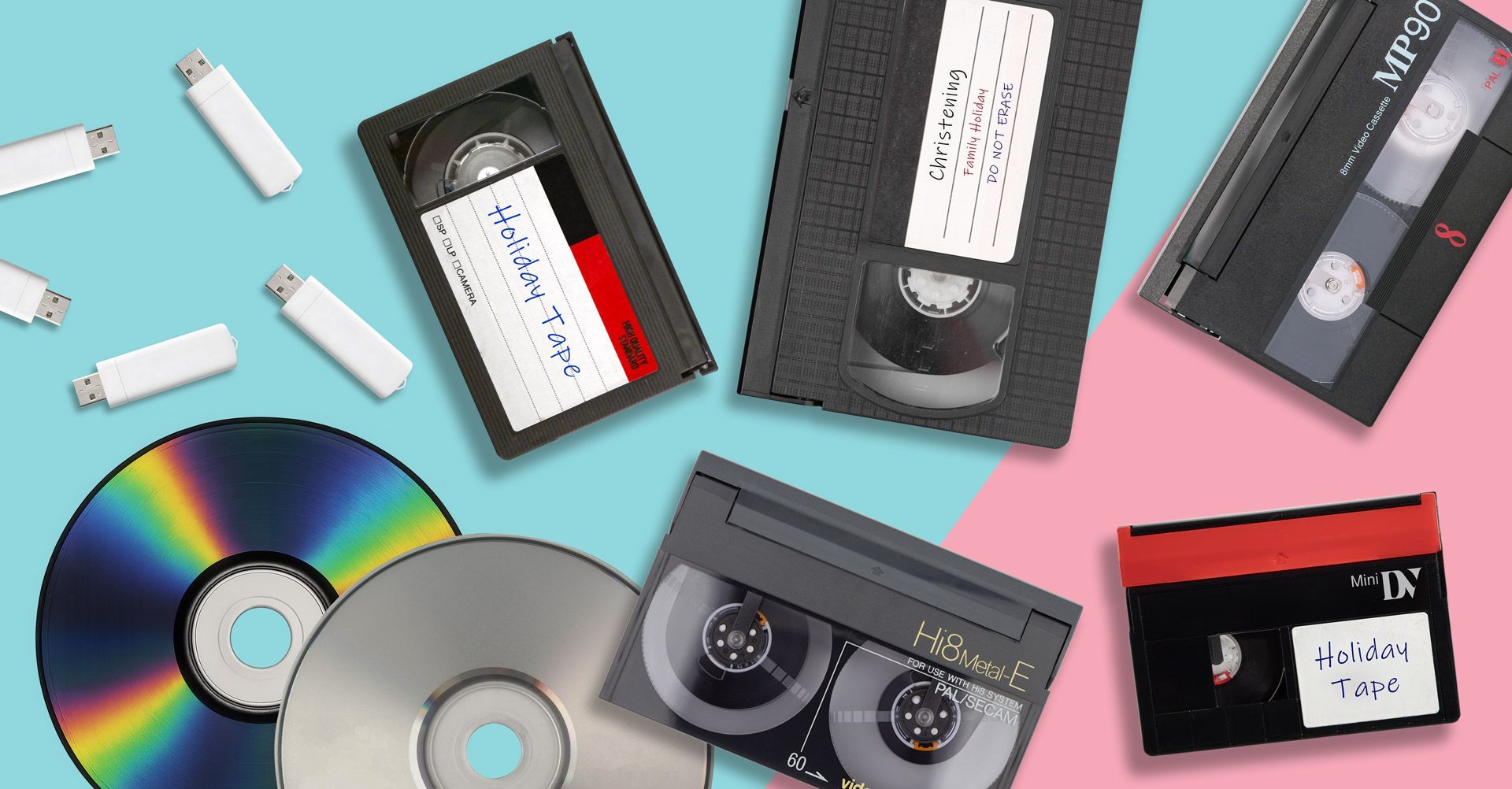
Over time, Video8 technology evolved into newer formats such as Hi8 and Digital8, which offered improved picture quality.
However, all of these formats rely on magnetic tape, which naturally degrades over time.
Why Video8 Tapes Are Becoming Difficult to Access
Many people rediscover old Video8 tapes years after recording them, only to realise that watching them is no longer straightforward.
Several factors contribute to this problem.
Camcorders Are Ageing
Most Video8 camcorders are now more than 20–30 years old. Many have mechanical issues or simply stop working after years of storage.
Spare Parts Are Rare
Replacement batteries, power supplies and repair parts for older camcorders are becoming increasingly difficult to find.
Few Modern Devices Support Video8
Unlike digital files, Video8 tapes cannot be played on modern TVs or computers without specialised equipment.
Because of these limitations, converting tapes into digital files is often the most practical solution.
Some people attempt to transfer Video8 tapes themselves using older equipment.
This typically involves connecting a camcorder to a computer using video capture hardware.
Equipment normally required
- A working Video8 camcorder.
- AV output cables.
- A video capture device.
- Video recording software.
- A computer with sufficient storage space.
The camcorder plays the tape while the capture device records the footage onto the computer.
Limitations of home conversion
Although possible, this method can be challenging:
- Requires working legacy equipment.
- Setup can be technically complicated.
- Transfers must be recorded in real time.
- Older camcorders may damage fragile tapes.
Because of these difficulties, many people choose professional transfer services instead.

Professional Video8 Tape Conversion
A more reliable option is using a specialist video transfer service.
Professional equipment is designed to safely play ageing tapes and capture the video with stable playback quality.
This process converts the analogue signal into modern digital files that can be easily stored and shared.
You can learn more about the process on our Video8 to Digital conversion service page.
Choosing the Best Format for Your Converted Videos
Once Video8 tapes have been digitised, the recordings can be delivered in several different formats depending on how you want to watch them.
Video8 to USB
USB drives are one of the most convenient ways to receive digitised videos.
Once converted, the files can be plugged directly into:
- Computers.
- Smart TVs.
- Media players.
Many people choose Video8 to USB conversion because the videos can be easily copied and backed up.
Video8 to MP4
MP4 is one of the most widely supported video file formats available today.
MP4 files can be played on:
- Windows PCs.
- Apple Macs.
- Smartphones and tablets.
- Smart TVs
Our Video8 to MP4 transfer service explains how this format works and why it is popular for long-term digital storage.
Video8 to DVD
Some people still prefer DVD because it can be played directly in a DVD player connected to a television.
DVD copies can also serve as a physical backup of your recordings.
More information can be found on our Video8 to DVD conversion page.

When Should You Convert Video8 Tapes?
If you still have Video8 tapes stored away, it is usually best to convert them sooner rather than later.
Magnetic tapes can deteriorate due to:
- Ageing tape materials.
- Heat and humidity.
- Dust and storage conditions.
- Repeated playback.
Once serious degradation occurs, the video may be difficult or impossible to recover.
Our guide on Why You Should Digitise Old Tapes Now explains why converting older recordings early is the safest approach.
Protecting Your Home Video Memories
Video8 camcorder tapes often contain some of the most important moments recorded in family history.
Unfortunately, these recordings are stored on technology that was never designed to last forever.
Digitising Video8 tapes ensures your videos are protected before the tapes deteriorate or camcorder equipment becomes impossible to find.
Once converted, your recordings can be easily stored, copied and shared with family members.
If you still have Video8 tapes stored away, converting them into digital formats now is the best way to ensure those memories remain safe for years to come.