How to Watch Old Camcorder Tapes
During the 1980s, 90s and early 2000s, camcorders were the most popular way to record family memories. Holidays, weddings, birthdays and school plays were often captured on small camcorder tapes rather than full-size VHS cassettes.
Years later, many people discover boxes of these tapes stored in cupboards or lofts - but have no camcorder left to play them.
If you’ve found old camcorder tapes and are wondering how to watch them today, you’re not alone. The equipment needed to play these tapes is now difficult to find, and many modern TVs no longer support the connections older camcorders used.
In this guide, we’ll explain the different types of camcorder tapes, how they can be played, and the easiest ways to convert them into modern digital formats.
Common Types of Camcorder Tapes
Before trying to watch old camcorder recordings, it helps to identify the type of tape you have.
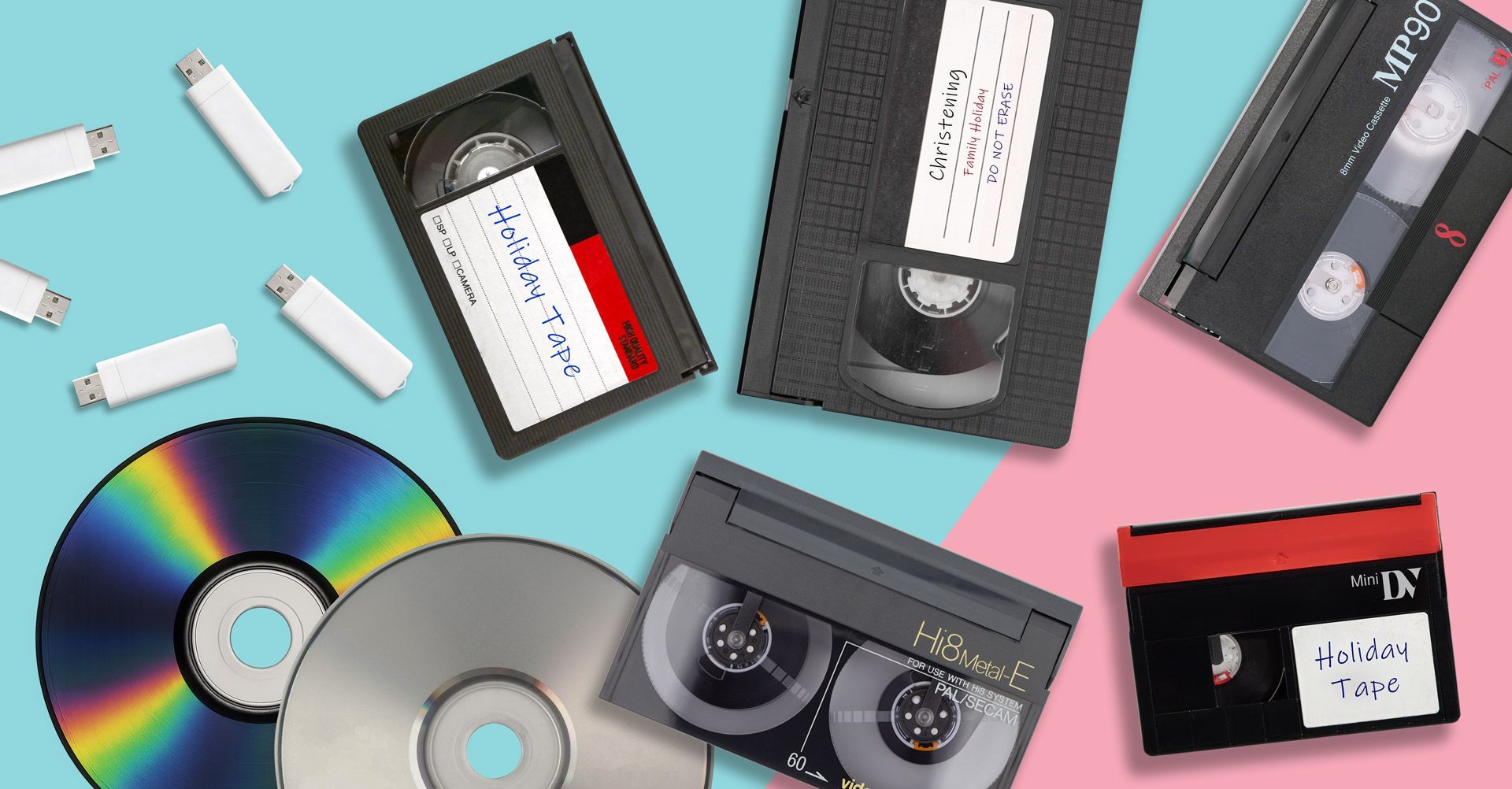
Some of the most common formats include:
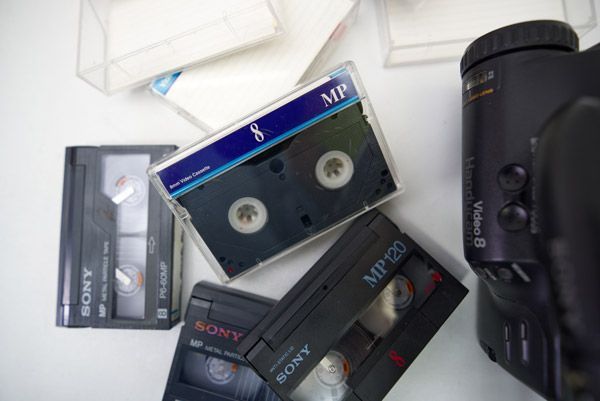
Video8
Video8 tapes were widely used in camcorders during the late 1980s and early 1990s. They are small cassettes that require a compatible Video8 camcorder or player to watch.
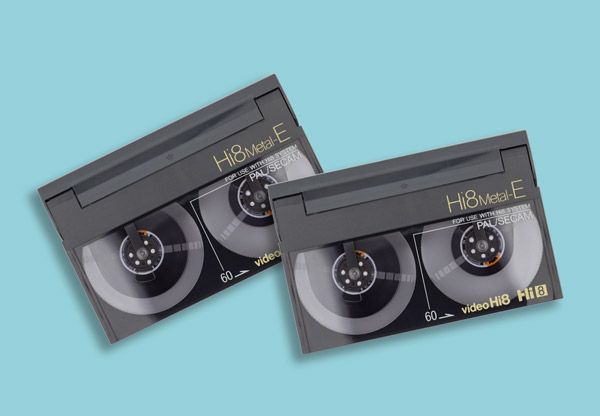
Hi8
Hi8 tapes were an improved version of Video8, offering better video quality. These tapes are physically similar but require compatible Hi8 equipment.
Digital8
Digital8 tapes records superior digital video (similar to MiniDV) with higher resolution, while Hi8 is an older analog format with lower resolution.
MiniDV
MiniDV tapes became popular in the late 1990s and early 2000s. These tapes record digital video but still require MiniDV camcorders or playback decks.
VHS-C
VHS-C tapes are compact versions of VHS used in camcorders. They can sometimes be played in a VHS player using an adapter. We also have a handy guide on VHS-C tapes and how to play them.
If you are unsure what format you have, the label on the cassette usually indicates the tape type.
Options to Watch Old Camcorder Tapes

Option 1: Use the Original Camcorder
The easiest way to watch old camcorder tapes is by using the original camcorder they were recorded on.
Most camcorders include video output cables that allow them to connect to a television.
Typical connections include:
- RCA (red, white and yellow cables).
- S-Video.
- FireWire (for MiniDV camcorders).
Pros
- Allows you to watch tapes directly.
- No conversion required.
Cons
- Many camcorders are no longer working.
- Batteries and chargers may be missing.
- Older connectors may not work with modern TVs.
Even if you find a working camcorder, this solution only allows you to watch the tape temporarily. The recordings are still stored on ageing magnetic tape.
Option 2: Use a VHS Adapter (For VHS-C Tapes)
If you have VHS-C tapes, they may be playable using a VHS-C adapter.
This adapter allows the smaller cassette to fit into a standard VHS player.
However, this method only works for VHS-C tapes and still requires a working VCR.
If you no longer have a VCR, you may find our guide on how to watch VHS tapes without a VCR helpful.
Option 3: Transfer Camcorder Tapes to a Computer
Another option is to digitise the tapes using a computer capture device.
This usually requires:
- A compatible camcorder.
- Video capture hardware.
- Recording software.
The camcorder plays the tape while the computer records the video.
Advantages
- Creates digital video files.
- Allows you to store recordings on your computer.
Disadvantages
- Requires working camcorder equipment.
- Setup can be complicated.
- Transfers must be done in real time.
Because of this, many families prefer to have their tapes converted professionally.
Option 4: Convert Camcorder Tapes to Digital
The most reliable long-term solution is converting camcorder tapes into digital formats such as:
- MP4 video files.
- USB storage.
- DVD copies.
Once converted, the videos can be watched on:
- Smart TVs.
- Laptops and computers.
- Tablets and smartphones.
Digital files are also easier to share with family members and can be backed up safely.
Many people choose camcorder tape to digital conversion services so they can preserve their recordings without needing old playback equipment.

Why Digitising Camcorder Tapes Is Important
Most camcorder tapes use magnetic tape technology, which gradually degrades over time.
Common issues include:
- Colour fading.
- Audio distortion.
- Tape stretching.
- Mould damage.
As tapes age, the chance of permanent data loss increases.
Converting your tapes to digital formats protects the footage before it becomes damaged or unplayable.
For families with important recordings, digitising tapes is often the best way to preserve those memories for the future.
You can learn more about this process through our camcorder tapes to digital conversion service which explains how analogue tapes are transferred safely to modern formats.
What Happens During a Tape Conversion?
When camcorder tapes are digitised, the video signal is captured using specialist playback equipment and converted into digital video files.
The final recordings can be delivered in several formats including:
- USB drives.
- MP4 digital files.
- DVDs.
Digital copies allow you to watch your recordings anytime without worrying about tape damage or outdated equipment.
Preserve Your Old Camcorder Memories
Camcorder tapes often contain some of the most important family memories; birthdays, school events, holidays and weddings recorded years ago.
Unfortunately, these recordings remain vulnerable while stored on ageing tape.
Converting your tapes to digital formats ensures those memories can still be watched and shared in the future.
If you have old tapes that you can no longer play, digitising them is the safest way to preserve the footage before time causes permanent damage.
With GF Video Transfers, you have a choice of services: camcorder tapes to DVD, camcorder tapes to MP4, or camcorder tapes to USB services.